Why should you pick flutter?
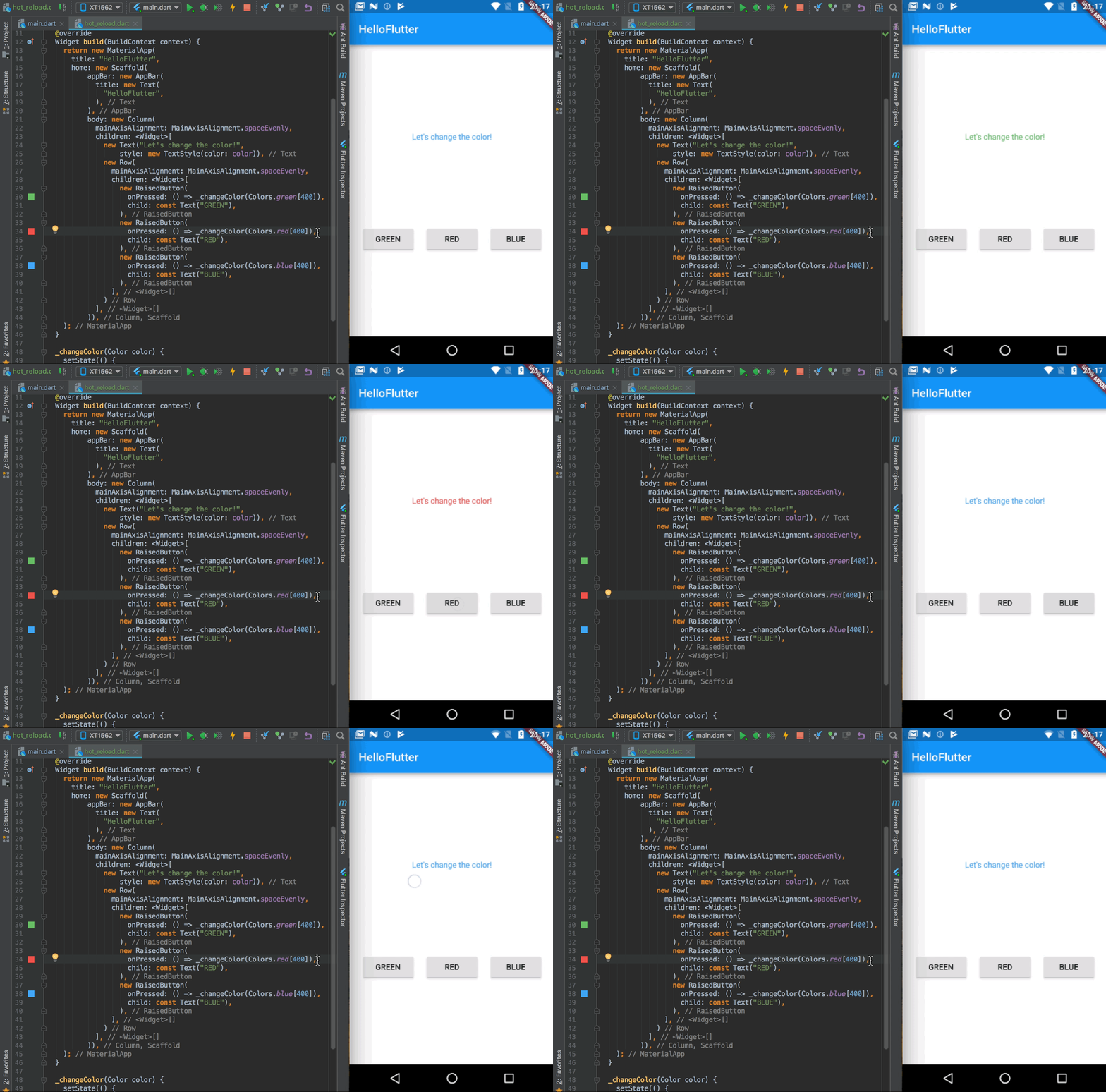
1 Hot reload
Okay, now let’s begin!We’ll start with the basic application. We have three buttons, every one of them changes text color:
Now, we’ll use one of the coolest feature?—?Hot reload. It allows you to instantly rebuild your project as if it was just a web page. Take a look at the Hot reload in the action:
What do we do here? We change something in the code (e.g. the text on the button), then we click “Hot Reload” (at the top of the IntelliJ IDE) and we’ll see the result in seconds. Cool, isn’t it?
Hot reload is not only fast but also smart?—?if you have some data displayed already (as the color of the text in this example), you can change UI during application runtime and if you hot reload app: they’ll remain the same!
2 Full set of (Material Design) widgets
Another great thing about Flutter is that we have a very rich catalog of a built-in UI components. There are two sets of widgets?—?Material Design (for Android) and Cupertino (for iOS). You can choose and easily implement whatever you want. You’d like to create new FloatingActionButton? Here you go:
And the best thing is that you can implement every widget on every platform. If you implement some Material Design or Cupertino widget, it’ll look the same on every Android and iOS device. You don’t need to worry that something will look different across many devices.
3.Everything is a Widget
As you saw in the previous gif, creating UI is very easy. It’s possible thanks to the core principle of Flutter, where everything is a widget. Your app class is a widget (MaterialApp), your whole layout structure is a widget (Scaffold), and basically, everything is a widget (AppBar, Drawer, SnackBar). Do you want your view to be centered? Wrap it (Cmd/Ctrl + Enter) with Center widget!
https://hackernoon.com/hn-images/1*tRCpkOeASzgpDX-q5aJ-3g.gif
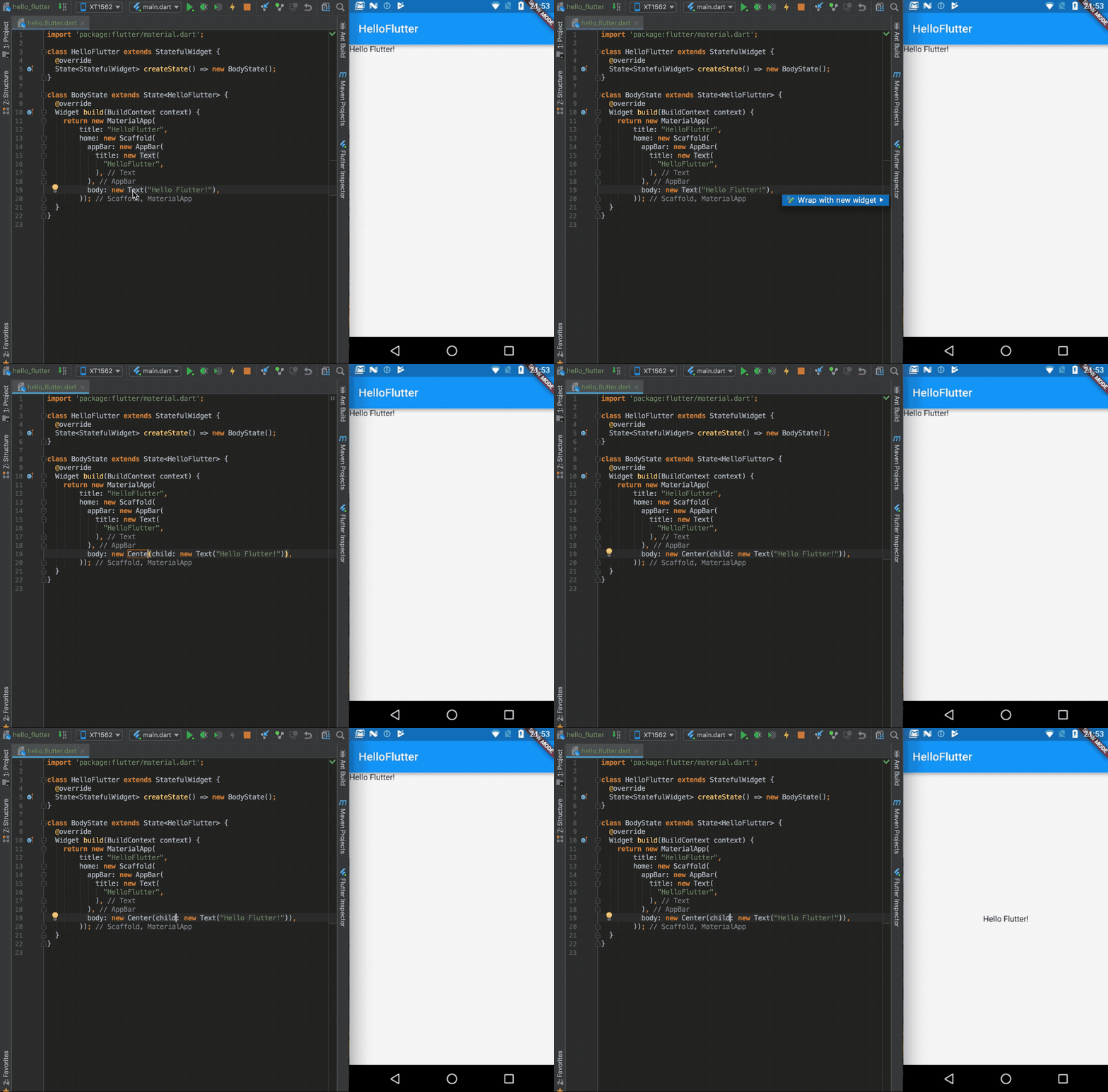
Thanks to this creating UI is as simple as composing layout with many different small parts.
It’s also connected with another core principle?—?in Flutter composition is over inheritance. It means that if you’d like to create some new widget, instead of extending Widget class (as you’ll do in Android by extending some View class), you instead compose new Widget with few small Widgets.
4 Different themes for Android/iOS
Usually, we want our Android application to look different than an iOS app. Differences are not only in colors but also in dimensions and styles of widgets. We can achieve this in Flutter with themes:
https://hackernoon.com/hn-images/1*uTR2zqjnltafthbCUDqlvg.png
As you can see, we set different color and elevation for Toolbar (AppBar). We do it using Theme.of(context).platform parameter to get current platform (Android/iOS):
5.Many, many, many packages
Although Flutter is still in alpha version, the community is really big and involved. Thanks to this Flutter has the support of many packages (libraries, just like Gradle dependencies in Android). We have packages for opening images, making HTTP requests, sharing content, storing preferences, accessing sensors, implementing Firebase, and many more. Of course, everyone supports both Android and iOS.
Great job for publishing such a nice article. Your article isn’t only useful but it is additionally really informative. Thank you because you have been willing to share information with us. If anyone looking for the Flutter Tutorial in Hindi, Navoki is the best choice.
ReplyDelete